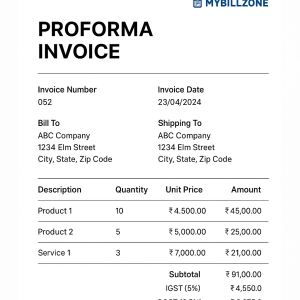
Before any sale or deal, most businesses send a quotation — an estimate of the price and taxes applicable. When your business is registered under GST, you need to issue a GST quotation format that includes all mandatory details like GST rates, HSN/SAC codes, and total value.
In this blog, we’ll explain what a GST quotation is, why it’s important, what details it must include, and how MyBillZone helps you create and download professional GST quotations in seconds — for free.
📘 What Is a GST Quotation?
A GST quotation (also called a GST estimate) is a document provided by a seller to a potential buyer, showing the estimated price for goods or services along with applicable GST.
It’s not an invoice — it’s a pre-sale document that helps both parties agree on terms before finalizing the sale.
Once the customer accepts the quotation, it can easily be converted into a GST invoice using tools like MyBillZone.
🧾 Why Is a GST Quotation Important?
A GST quotation helps businesses in many ways:
✅ Builds customer trust by giving a transparent cost estimate.
✅ Saves time by defining all details before billing.
✅ Ensures that your business follows proper GST structure.
✅ Reduces confusion between quoted and billed amounts.
✅ Can be directly converted into a GST invoice when accepted.
For small businesses and freelancers, it’s a must-have document for professionalism and clarity.
🧰 Mandatory Details in a GST Quotation Format
A proper GST quotation format must include the following fields:
- Supplier Details – Business name, address, and GSTIN
- Quotation Number – A unique reference number
- Date of Issue
- Buyer Details – Name, address, and GSTIN (if available)
- Description of Goods/Services
- HSN/SAC Code
- Quantity and Unit
- Rate and Amount Before Tax
- Applicable GST (CGST, SGST, IGST)
- Total Value After Tax
- Terms and Conditions
- Authorized Signature or Seal
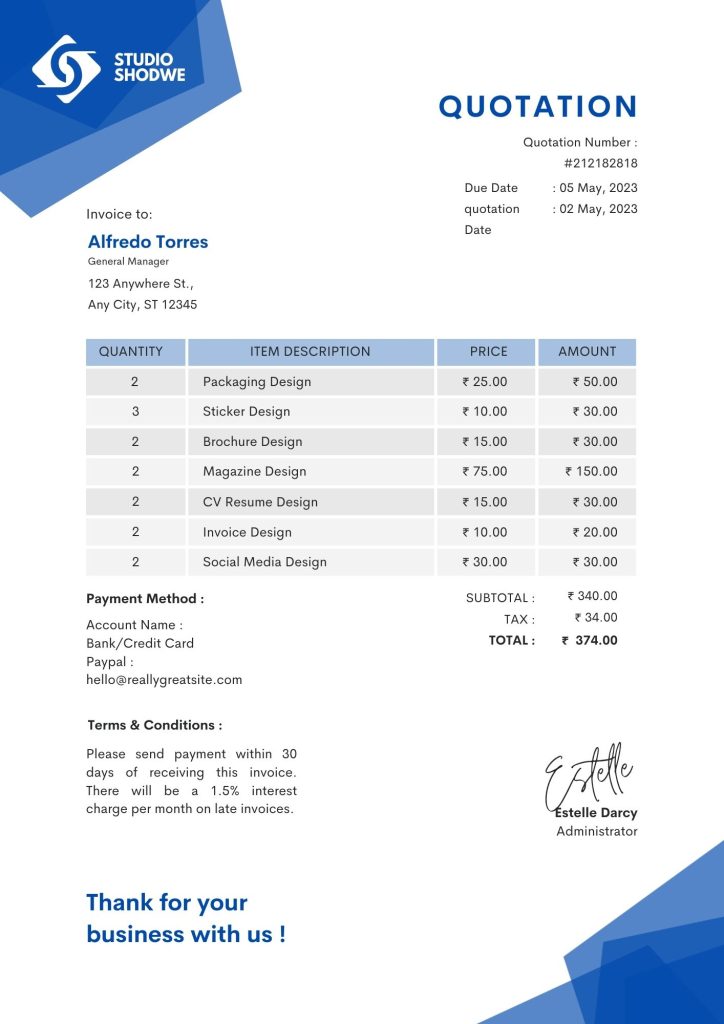
✅ Tip: Even though a quotation is not a legal invoice, it should look professional and contain all mandatory details for clarity.
💼 GST Quotation Format Example
Here’s what a typical GST quotation format looks like:
| Field | Example |
|---|---|
| Business Name | MyBillZone Pvt Ltd |
| Address | New Delhi, India |
| GSTIN | 07XXXXXXXXX1Z1 |
| Quotation No. | QTN-00123 |
| Date | 13 Nov 2025 |
| Customer Name | ABC Traders |
| Item Description | GST Billing Software |
| Quantity | 1 |
| Rate | ₹5,000 |
| CGST @9% | ₹450 |
| SGST @9% | ₹450 |
| Total Amount | ₹5,900 |
This structure keeps your quotation compliant and easy to convert into a final invoice once approved.
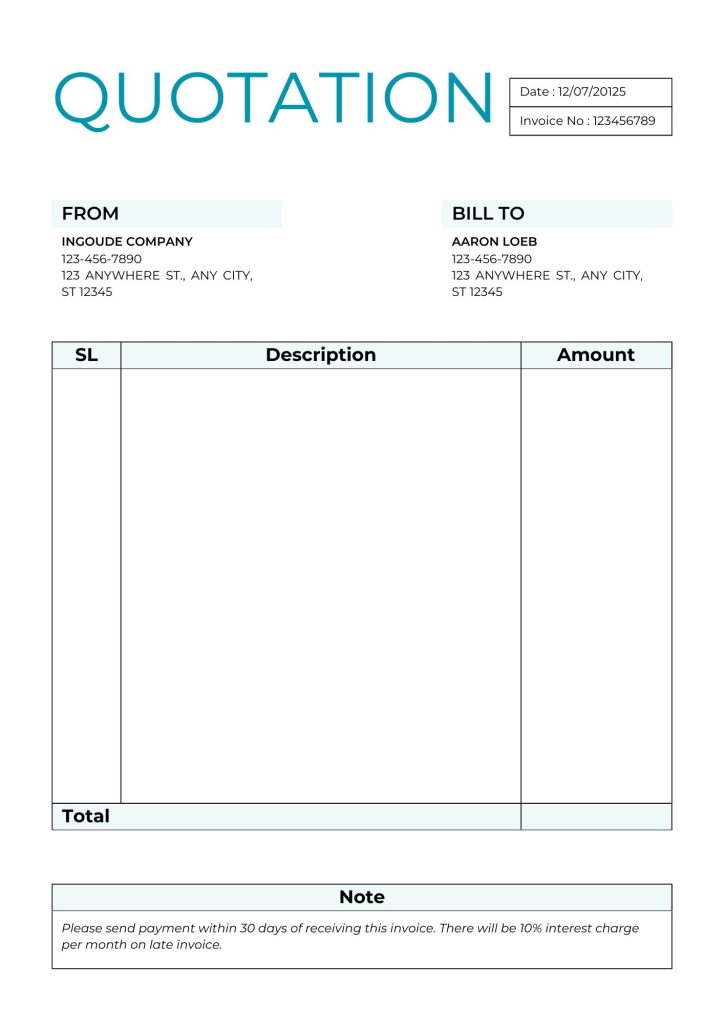
📂 Types of GST Quotation Formats
Depending on your business, you can choose from:
- GST Quotation Format in Excel – Great for accountants or offline users.
- GST Quotation Format in Word – Ideal for printing or sharing over email.
- GST Quotation Format in PDF – Professional, secure, and best for online sending.
With MyBillZone, you can generate and download all three formats instantly.
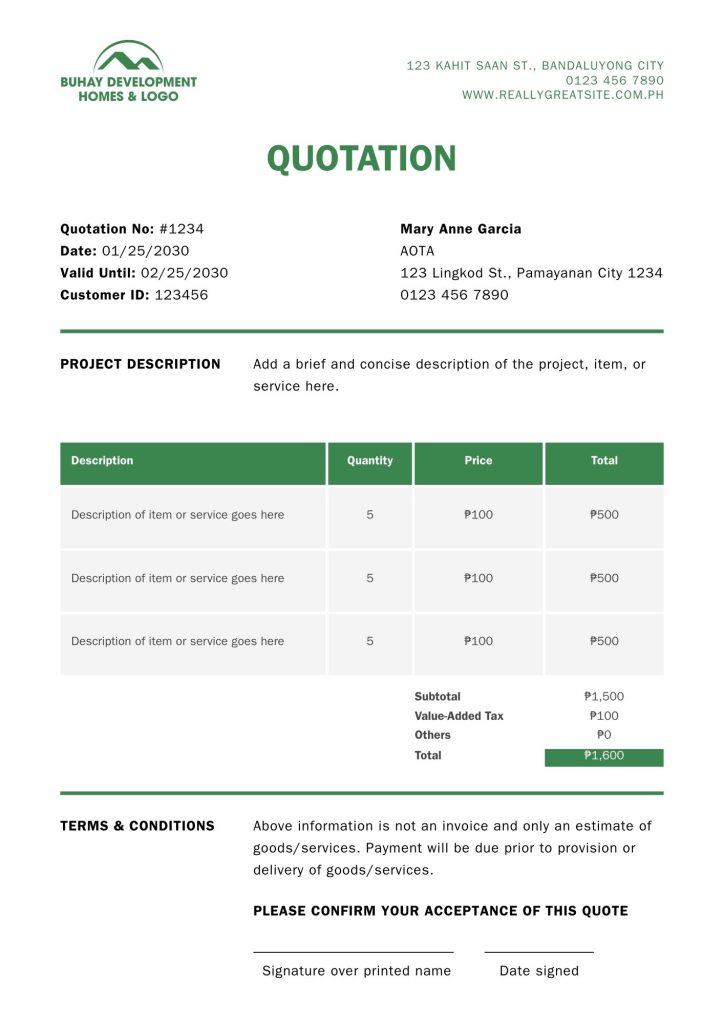
🧮 Download Free GST Quotation Templates
You don’t need to spend hours designing a quotation in Excel or Word.
With MyBillZone, you can:
✅ Create quotations online in seconds
✅ Auto-calculate GST (CGST, SGST, IGST)
✅ Customize with your business logo
✅ Save or download quotations as PDF
✅ Convert accepted quotations into invoices instantly
👉 Visit MyBillZone.com to generate your free GST quotation format now.
🚀 Why Choose MyBillZone for GST Quotations?
Here’s why thousands of small businesses trust MyBillZone for GST billing:
✅ 100% GST-compliant quotations & invoices
✅ Easy-to-use dashboard
✅ Real-time tax calculation
✅ Supports multiple clients and business profiles
✅ Works smoothly on desktop and mobile
✅ Free templates with download & print options
Whether you’re a freelancer, wholesaler, or small business owner, MyBillZone simplifies quotation and invoicing so you can focus on growing your business.
🧑💻 How to Create a GST Quotation on MyBillZone
Follow these simple steps to create your first GST quotation:
- Visit mybillzone.com
- Click “Create Quotation”
- Enter seller and buyer details
- Add item details with rate and tax
- Review the auto-calculated total
- Click “Generate Quotation” to download your PDF
Done! Your GST quotation is ready to share instantly with your client.
🧾 Common Mistakes to Avoid
Avoid these small errors when making a GST quotation:
- Forgetting quotation number or date
- Missing GSTIN details
- Incorrect GST calculation
- Not saving customer data
- Not converting quotation to invoice after approval
With MyBillZone, you’ll never face these issues — everything is automated and error-free.
📊 Conclusion
A GST quotation is an essential document that builds trust, saves time, and keeps your business organized. Instead of designing templates manually, switch to MyBillZone, India’s most trusted GST quotation and invoice generator.
Generate, manage, and download quotations in just a few clicks — fast, professional, and 100% GST-ready.
👉 Create your free GST quotation on MyBillZone.com
FAQs – GST Quotation
Q1: Is GST mandatory in a GST quotation?
A: Yes, including GST in a quotation is mandatory if your business is GST registered and you are charging tax on goods or services. If you are not GST registered, mentioning GST is optional. Including GST details helps the client know the total payable amount clearly.
Q2: What is the difference between a quotation and an invoice?
A:
Invoice: Issued after the sale. It includes payment details, GST, HSN/SAC code, and total amount, and is legally required.
Quotation: Given to the client as a price estimate before the sale. It is not legally binding.
Q3: Is HSN code necessary in a GST quotation?
A: Yes, if you are GST registered and supplying goods, mentioning the HSN code is recommended. It ensures transparency and compliance with GST rules. For services, the SAC code is used.